Mon–Thu 09:30–17:00, Fri until 15:00

Bargteheide 04532 408 99 95Göttingen 0551 890 64 000

Plugin for Shopware 6

Shipping Costs per Parcel for Shopware 6

Shopware calculates how many parcels an order needs and charges shipping costs for each parcel.

Shopware 6 plugin Shipping Costs per Parcel by Web Labels: view from the Shopware Store

With large orders in Shopware, customers often pay shipping only once, even though several parcels go out. You bear the difference.

The plugin determines how many parcels are needed based on weight or volume and calculates shipping costs per parcel. You define how heavy a parcel may be for each shipping method and which products can be split.

What you can use the plugin for

  • Heavy or bulky goods

    Customers ordering several heavy items pay for the parcels actually needed instead of a flat rate.

  • Transparent costs

    With the itemised display, customers see how the shipping costs are made up.

What it looks like in the shop

Screenshot of Shipping Costs per Parcel for Shopware 6: view 1
Shipping Costs per Parcel: view 1

Set up in a few steps

  1. Install the plugin and choose calculation by weight or volume.
  2. Set the maximum weight per parcel for each shipping method.
  3. Mark divisible products and choose the display type.

Frequently asked questions about Shipping Costs per Parcel

What does divisible mean?

Divisible products may be split across several parcels. Indivisible products always go together in one parcel.

Your contacts

Questions about Shipping Costs per Parcel or need an adjustment?

Would you like to know whether the plugin suits your shop, or do you need an extension? Talk to us directly.

Janis Rittmeier and Tim Schröder, Key Account Manager at Web Labels, your contact for Shipping Costs per Parcel

Our team for your questions

  • René Grosche, Managing Director at Web Labels René Grosche Managing Director
  • Marco Kreutzfeldt, Deputy Managing Director · Back office at Web Labels Marco Kreutzfeldt Deputy Managing Director · Back office
  • Tim Schröder, Key Account Manager at Web Labels Tim Schröder Key Account Manager · Consulting and quotes
  • Janis Rittmeier, Key Account Manager at Web Labels Janis Rittmeier Key Account Manager · Consulting and quotes
  • Lennart Albrecht, Head of Development at Web Labels Lennart Albrecht Head of Development
  • Tom Baustian, Web design · Performance marketing · Audio at Web Labels Tom Baustian Web design · Performance marketing · Audio
  • Tajara-Tabea Leonard, Web design · Content · SEO at Web Labels Tajara-Tabea Leonard Web design · Content · SEO
  • Ken Raupach, Web design · Performance marketing at Web Labels Ken Raupach Web design · Performance marketing
  • Muhammed Tay, Web development at Web Labels Muhammed Tay Web development
  • Alexander Folz, Web development at Web Labels Alexander Folz Web development
  • Aaron Griem, Web development at Web Labels Aaron Griem Web development
  • Leon Fischer, Web development at Web Labels Leon Fischer Web development
  • Patrick Heidl, Web development at Web Labels Patrick Heidl Web development
  • Tobias Schäfer, Web development at Web Labels Tobias Schäfer Web development · Complex development
  • Laura Schop, Web development at Web Labels Laura Schop Web development
  • Aleksej Werestschagin Web development
  • Julina Sievert, Apprentice at Web Labels Julina Sievert Apprentice
  • Rosa-Lee Biesterfeldt, Apprentice at Web Labels Rosa-Lee Biesterfeldt Apprentice

Related plugins

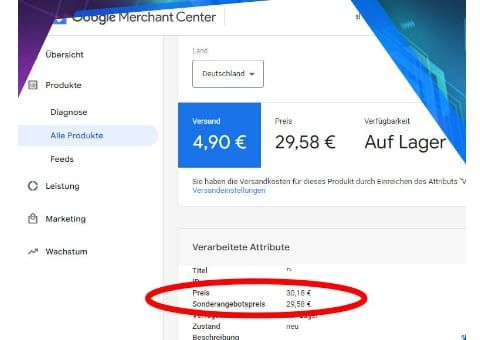
  • Shopware 6 plugin Shopping Feed with Unique Discounts by Web Labels: feature view

    Shopping Feed with Unique Discounts

    Visitors from price comparison sites get the discount only on the product they came for. All other products keep their normal price.

  • Shopware 6 plugin Strike-Through Prices by Percentage by Web Labels: feature view

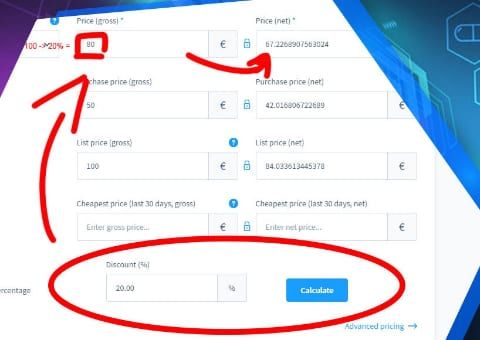
    Strike-Through Prices by Percentage

    Enter a percentage discount and the plugin calculates the selling price with the matching strike-through price.

  • Shopware 6 plugin Customer-specific discounts by Web Labels: view from the Shopware Store

    Customer-specific discounts

    Give individual customers their own discounts on categories, product groups or the entire range, and define which discount applies when they overlap.

Need an adjustment or an extension of your own?

Many of our plugins only exist because a client asked for them. If your shop needs something that is not listed here, we will develop the right plugin for you.

Up to 80% government funding