
Plugin for Shopware 6
Bundle Plugin with Automatic Bundle Creation for Shopware 6
Create bundles for entire product groups at once. Customers choose accessories from groups, and you decide what the discount applies to.

Bundles sell accessories along with the main product, but in Shopware they take a lot of effort: every set has to be created and maintained individually. With large product ranges, it is hardly worth it.
This plugin creates bundles for entire product groups. You define which main products belong to it and which groups customers can add from, for example the cables category. With the option for matching accessories, only compatible products appear. Documentation is available at docs.web-labels.de.
What you can use the plugin for
Devices with accessories
For every TV, customers choose cables and a matching wall mount, without you having to create hundreds of bundles one by one.
Protect the main product's margin
The discount applies only to the accessories; the price of the main product stays unchanged.
What it looks like in the shop
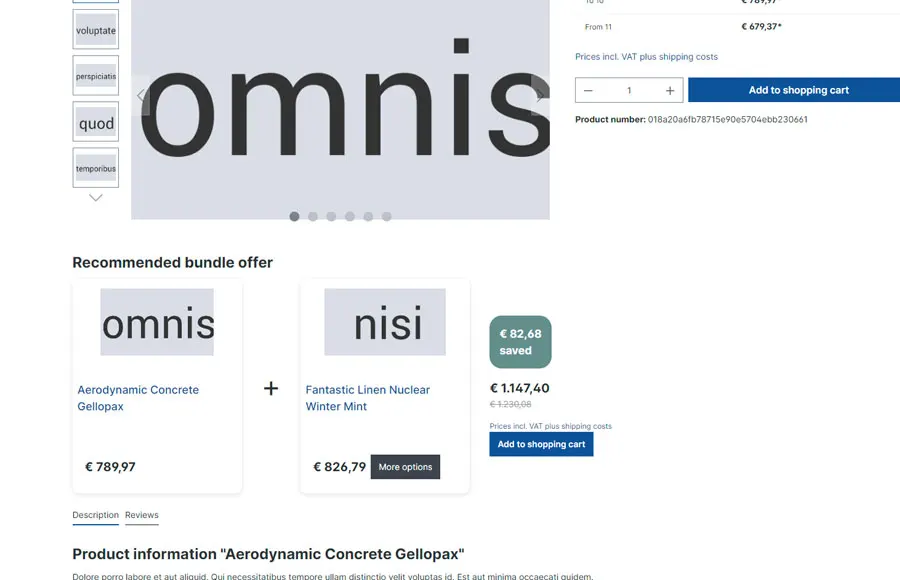
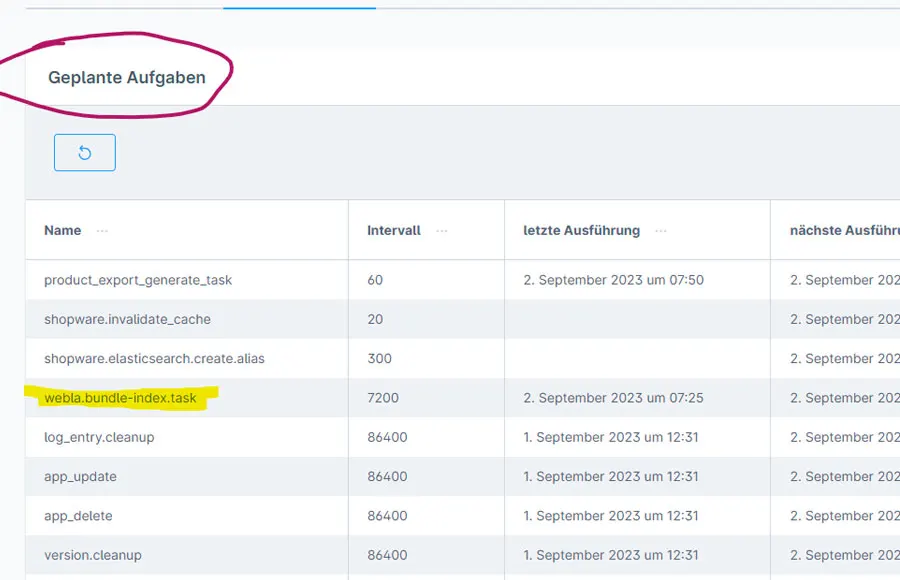
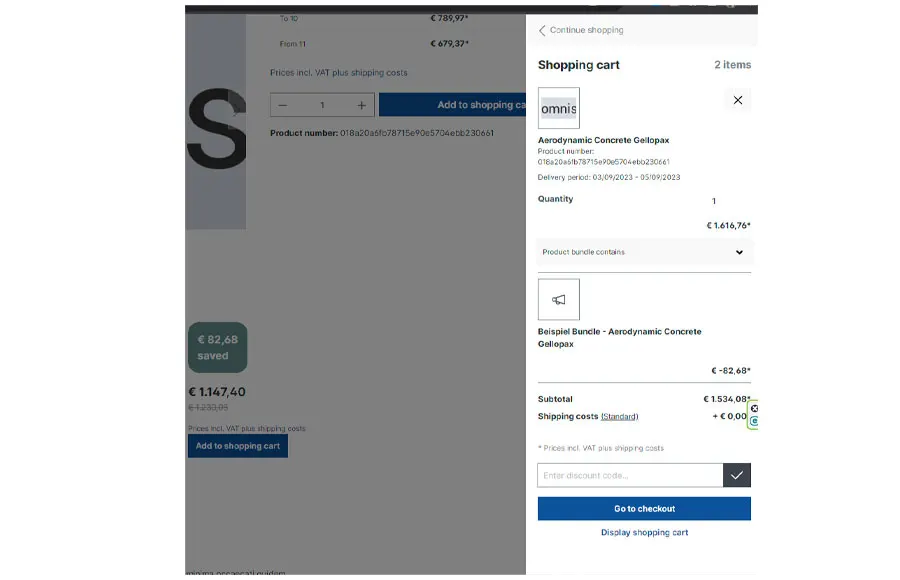
Set up in a few steps
- Install the plugin and create a bundle with main products from a category or product group.
- Add accessory groups and choose the discount type.
- Let the scheduled task update the bundle index and check the display.
Frequently asked questions about Bundle Plugin with Automatic Bundle Creation
Do I have to create every bundle individually?
No. A bundle can apply to all products in a category or product group. New products are included automatically.
How does the discount reach the ERP?
You choose whether it appears as a separate line item in the cart or is deducted directly from the product price, depending on what your ERP can process.
Your contacts
Questions about Bundle Plugin with Automatic Bundle Creation or need an adjustment?
Would you like to know whether the plugin suits your shop, or do you need an extension? Talk to us directly.

Our team for your questions
-

-

-

-

-

-

-

-

-

-

-

-

-

-

-

- Aleksej Werestschagin Web development
-

-



Related plugins
-
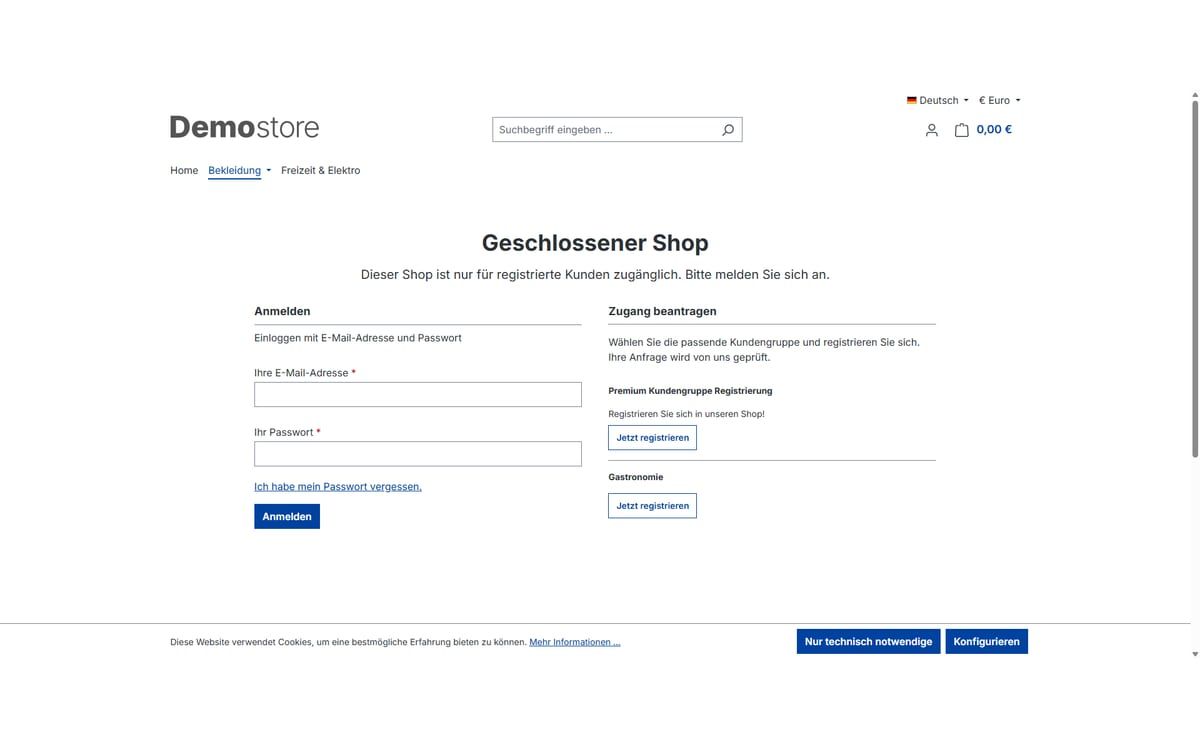
Closed shop and showcase mode
Open your shop only to approved customers: completely behind a login page or as a showcase where prices and buying only appear after logging in.
-

Cross-selling by product tags
Store recommendations once on a tag, and every product with that tag automatically shows them on its detail page.
-

Disable Payment Methods in the Storefront
Hide individual payment methods in the shop so they can only be used for orders your team creates in the Administration.


Many of our plugins only exist because a client asked for them. If your shop needs something that is not listed here, we will develop the right plugin for you.